
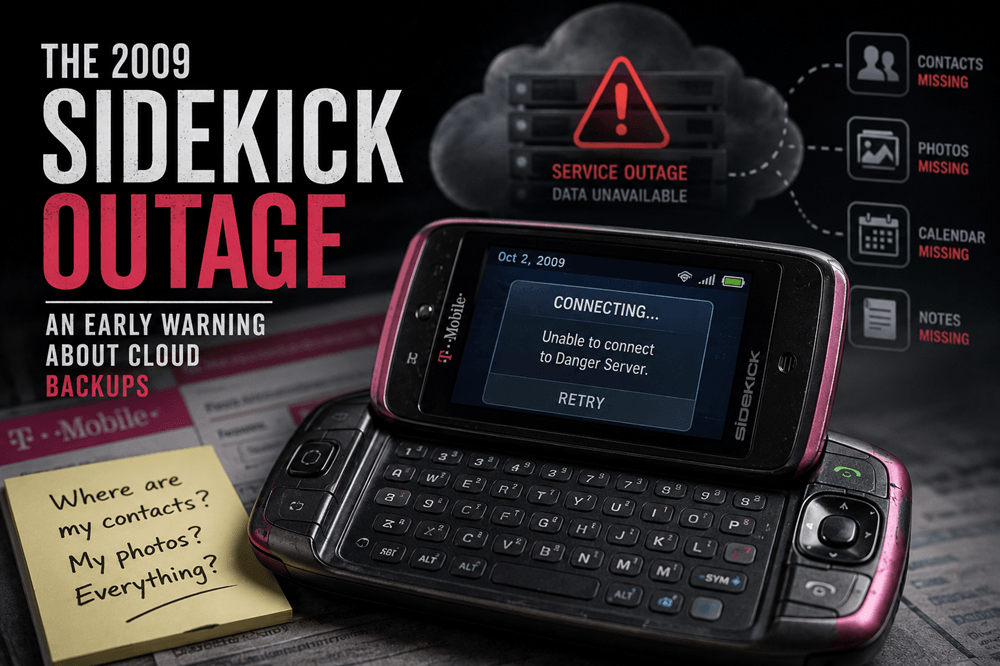
The T-Mobile Sidekick was one of the coolest phones of the pre-iPhone era. It had a flip-out screen, a real keyboard, instant messaging, email, web access, and a personality that made it feel more like a lifestyle gadget than a boring mobile device.
Then, in October 2009, the Sidekick became famous for something far less fun: a service outage that made many users think their contacts, photos, calendar entries, notes, and other personal data were gone for good.
Today, that story feels bigger than one old phone. The Sidekick outage was an early warning about what happens when a device depends heavily on online services, but users do not have a clear backup plan of their own.
Quick Take
The 2009 Sidekick outage matters because it showed how fragile “your data is safely stored online” can feel when the system behind it breaks. The Sidekick depended on server-based syncing before most regular phone users thought much about “the cloud.” That made the device feel ahead of its time, until the service failed.
The lesson still applies today. Cloud sync is useful, but it is not the same thing as a personal backup. If your photos, contacts, notes, passwords, or documents matter, you need a recovery plan that does not depend on one device, one account, or one company.
What Was the Sidekick?
The Sidekick, also known as the Danger Hiptop, was a smartphone before smartphones became glass rectangles. It was popular with teens, celebrities, heavy texters, and anyone who wanted mobile messaging before modern app stores took over.
The design was instantly recognizable. The screen flipped or swiveled open to reveal a physical keyboard underneath. That made typing messages feel fast and playful at a time when many phones still relied on tiny number pads.
The Sidekick’s most important feature, though, was the service behind it. Danger created the Sidekick platform, T-Mobile sold the phone and service in the United States, and Microsoft owned Danger by the time of the outage. That relationship matters because the Sidekick was not just a handset. It was a connected system.
What Happened During the Outage?
In early October 2009, Sidekick users began experiencing serious service problems. Many lost access to data services, online address books, and information that normally synced with the Sidekick servers.
The incident was widely reported as affecting hundreds of thousands of users, with later summaries often putting the number around 800,000 in the United States. The most frightening moment came when T-Mobile and Microsoft/Danger warned that some personal data stored through the service may have been permanently lost.
For users who trusted the Sidekick to hold their contacts, photos, notes, calendar entries, and to-do lists, that was a brutal message. A phone that had felt effortless suddenly revealed how much of the experience depended on a server somewhere else.
The situation later improved. Microsoft said it had recovered most, if not all, affected customer data and planned to restore contacts first, followed by calendar items, notes, tasks, photos, and other information. But the damage to trust had already been done. For a while, many users believed years of personal data had disappeared.
What Actually Failed?
The public explanation was not a simple “one server went down” story. Reports at the time pointed to a Microsoft/Danger server failure affecting systems that held Sidekick customer data. Some coverage also discussed problems involving main and backup databases.
The exact technical details were messy from the outside, and not every report described them the same way. For normal users, the lesson was simpler: the service they trusted as a safety net also needed its own reliable recovery plan.
That is what made the outage so alarming. It was not only that a phone service went offline. It was that the backup-like system behind the phone appeared, at least for a time, unable to protect the data people cared about most.
Why the Sidekick Was So Vulnerable
The Sidekick felt modern because it relied on online syncing. That was also the weak point.
Many users did not think of their phone as a client connected to a larger service. They thought of it as the place where their contacts, pictures, notes, and messages lived. When the service failed, the device suddenly felt much less independent.
This is the core lesson of the Sidekick outage: syncing and backing up are not the same thing.
Syncing keeps data matched between a device and a server. That is convenient, but it can also spread problems. If something is deleted, corrupted, or made unavailable on the service side, the device may not protect you.
A backup is different. A good backup gives you a separate copy you can restore from when the main system fails. It should be recoverable even if your usual device, app, or account has a bad day.
Why This Was a Big Deal in 2009
In 2009, online services were becoming more normal, but trust was still fragile. People were starting to store email, photos, documents, calendars, and phone data on remote servers. At the same time, many users did not fully understand where that information lived.
The Sidekick outage hit at exactly the wrong moment for cloud confidence. It made a simple fear feel real: what if the company holding your data loses it?
That fear sounds familiar today, but the stakes are higher now. We use cloud services for phone backups, password managers, documents, photos, smart home devices, health data, banking apps, business files, and messaging history.
The Sidekick was early, but the problem it exposed never really went away.
The Phone Still Worked, but the Experience Broke
One of the strangest parts of the outage was that the Sidekick was not just a dead piece of hardware. The deeper problem was the connection between the phone and the service that made it useful.
That distinction matters. A modern device can technically turn on and still feel broken if the account, sync layer, subscription, app server, or cloud database behind it fails.
We see versions of this all the time now. A smart camera becomes useless when its cloud app shuts down. A game loses features when servers go offline. A note app becomes stressful when sync breaks. A photo library feels risky when an account gets locked.
The Sidekick outage was an early example of a modern product reality: the product is not only the device. It is the device plus the service.
The Backup Lesson Everyone Should Still Follow
The Sidekick outage gave users a harsh reminder: if data matters, do not rely on one recoverable copy.
Cloud syncing is helpful. It can save you when a phone is lost, damaged, or replaced. But a sync service should not be your entire safety plan. Important information deserves at least one fallback outside your everyday setup.
For phone users, that might mean using iCloud or Google backup while also making sure photos, contacts, and important documents can be exported or accessed somewhere else. For work files, it may mean using a cloud drive plus a separate backup service or local copy. For passwords, it means knowing how to recover your vault safely before you are locked out.
A Simple Backup Checklist
- Confirm your phone backup is turned on.
- Check where your photos and videos are actually stored.
- Export important contacts occasionally.
- Keep critical documents outside one cloud account.
- Know how to recover your main email account.
- Know how to recover your password manager.
- Test your backup setup before an emergency.
This is not exciting tech advice. It is the digital version of wearing a seatbelt. Most days, it does nothing visible. On the wrong day, it matters a lot.
Why Cloud Sync Is Still Worth Using
The Sidekick outage should not make people reject cloud services. Syncing is useful. It makes new phones easier to set up, keeps calendars and contacts available across devices, protects data if a phone is lost, and makes collaboration much easier.
The problem is blind trust.
Cloud services can fail. Accounts can be locked. Billing can lapse. Companies can shut down products. Apps can change backup policies. Sync can break quietly. A user can accidentally delete something and watch the deletion spread across devices.
The right takeaway is not “never use the cloud.” It is “know what the cloud is actually doing for you.”
What the Sidekick Outage Predicted
The Sidekick outage predicted several tech problems that would become more common over time.
First, consumer devices were becoming service-dependent. A phone was no longer just hardware. It was part of an account-based system.
Second, users often do not know where their data really lives. Many people only learn the difference between local storage, sync, and backup after something goes wrong.
Third, trust became part of the product. A company can fix an outage, recover data, and issue apologies, but users may still remember the panic.
Fourth, convenience can hide complexity. When everything works, syncing feels magical. When it fails, users suddenly discover how little control they may have.
How This Looks Different Today
Modern phone backups are much better than they were in the Sidekick era. iPhones and Android phones now have more mature backup systems, clearer account recovery tools, larger cloud storage options, and better ways to move data between devices.
Modern users also store much more. A 2009 Sidekick might have held contacts, messages, photos, notes, tasks, and calendar items. A current phone can hold a person’s entire digital life: banking apps, authentication codes, work files, private photos, health information, travel documents, subscriptions, and years of chat history.
That makes backup habits even more important. Losing a phone today is annoying. Losing access to the account behind the phone can be much worse.
What to Do Now
If the Sidekick outage teaches one practical lesson, it is this: check your backups before you need them.
Open your phone settings and confirm that backup is active. Look at your photo app and make sure your pictures are syncing where you think they are. Check your password manager recovery options. Save important documents somewhere you can still reach if your main account is locked.
These small checks are easy to ignore because everything works until it does not. The Sidekick outage is a reminder that backup confidence should be based on proof, not hope.
Final Take
The Sidekick outage is remembered as a messy moment in mobile history, but it is also a useful warning from the early cloud era.
The Sidekick was ahead of its time because it treated the phone as part of a connected service. The outage revealed the downside of that future before most people were ready for it.
Cloud sync is convenient. Connected devices are powerful. But your personal data deserves more than a promise that someone else’s server will always work.