Apple Pay can work without internet, but only in certain situations. If you are paying in person at a store, restaurant, vending machine, gas station, or transit reader, Apple Pay may still work even when your iPhone has no Wi-Fi or cellular service.
The important thing to know is that Apple Pay is not fully offline. Tap-to-pay can work without your phone being connected, but online shopping, in-app purchases, card setup, Apple Cash, and account updates usually need internet.
Quick Answer: Does Apple Pay Work Without Internet?
Yes, Apple Pay can work without internet for many in-person contactless payments. Your iPhone or Apple Watch does not always need an active Wi-Fi or cellular connection when you tap a payment terminal.
For that to happen, your card must already be added to Apple Wallet. Your device also needs enough battery to turn on, authenticate, and communicate with the contactless reader. The store must accept tap-to-pay, and its payment system must be working.
So, if you are at a checkout with no service, Apple Pay is still worth trying. You can double-click the side button, confirm with Face ID, Touch ID, passcode, or Apple Watch, and hold the device near the reader.
Where Apple Pay usually will not work offline is online. If you are buying something through Safari, checking out inside an app, adding a new card, or sending money, your device needs an internet connection.
How Apple Pay Works Without Wi-Fi or Cellular Data
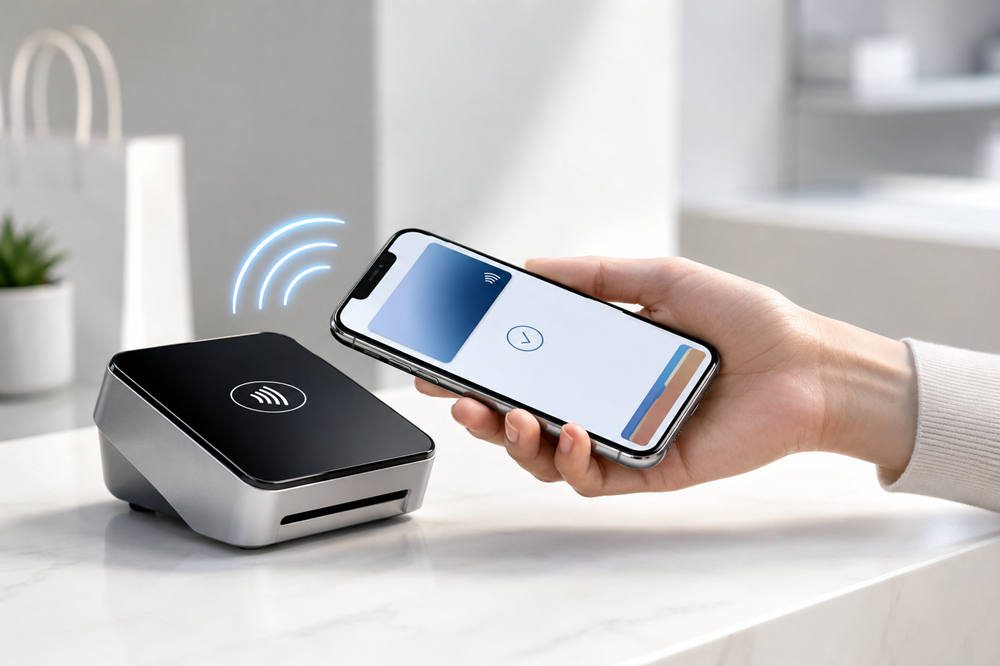
Apple Pay does not work like opening your banking app or loading a checkout page. For in-person payments, your iPhone or Apple Watch uses short-range contactless technology to talk directly to the card reader.
That is why Apple Pay can still work when your phone has no signal. The device is not sending the payment through your own cellular data. It is passing secure payment information to the terminal when the two are close together.
Apple Pay Uses NFC for In-Store Payments
Apple Pay uses NFC contactless payment technology, which allows a payment-enabled phone, watch, or card to communicate with a nearby terminal.
When you hold your iPhone or Apple Watch near a contactless reader, the device and terminal exchange payment details almost instantly. You do not need to open a website, scan a QR code, or wait for an app to refresh.
That short-range connection is the main reason Apple Pay can still work in places where your phone has weak or no internet.
Your Real Card Number Is Not Sent
Apple Pay also protects your card information during the payment. Instead of giving the store your actual card number, your device uses secure payment credentials stored in Apple Wallet.
When you tap to pay, Apple Pay creates a secure transaction code for that purchase. Apple explains this in its Apple Pay security and privacy overview, which covers how payment details are protected on your device.
Because your verified card is already stored on the device, your iPhone or Apple Watch may have what it needs for an in-person payment even when it is not connected to the internet.
The Store’s Payment System Still Matters
There is one catch: your phone is only one part of the payment process.
Your iPhone or Apple Watch can send the payment information to the terminal without using your internet connection. But the store’s card reader and payment system may still need to connect to the bank, card network, or payment processor.
That means Apple Pay can fail even when your device is working fine. The problem may be the store’s terminal, the bank, the card issuer, or the merchant’s payment connection.
When Apple Pay Can Work Without Internet
Apple Pay is most likely to work without internet when you are making a normal in-person tap-to-pay purchase.
In-Store Contactless Payments
You may be able to use Apple Pay without internet at grocery stores, pharmacies, restaurants, retail shops, coffee shops, gas stations, vending machines, and other places with contactless terminals.
Look for the contactless symbol or the Apple Pay logo near the reader. Apple says you can use Apple Pay for contactless payments in stores, restaurants, and other places that accept it.
For most purchases, you still need to approve the payment. On iPhone, that usually means Face ID, Touch ID, or passcode. On Apple Watch, you normally double-click the side button and hold the watch near the reader.
Apple Watch Payments
Apple Watch can use Apple Pay even when your iPhone is not nearby, as long as your card is already set up on the watch.
This is useful if you go for a walk, run errands, work out, or leave your phone at home. Your watch does not need to be connected to your iPhone for every tap-to-pay purchase.
You do need the watch to have battery power. It also needs to be unlocked on your wrist. Once it is ready, you can use it at supported contactless terminals the same way you would use your iPhone.
Transit and Express Mode
Apple Pay can be even faster with certain transit cards, passes, student IDs, car keys, hotel keys, and other items that support Express Mode.
With Express Mode, you may not need to unlock your device or confirm with Face ID or Touch ID each time. You simply hold your iPhone or Apple Watch near the supported reader.
This is especially helpful for public transit because it keeps lines moving. You do not have to open Wallet or stop at the turnstile to approve the payment.
Some Express Mode cards may also work for a short time when your iPhone battery is very low. However, this only applies to supported devices and supported Express Mode cards or passes. It does not mean every Apple Pay purchase works after your phone dies.
When Apple Pay Will Not Work Without Internet
Apple Pay needs internet when the payment depends on an app, website, account update, or bank verification.
For example, Apple Pay usually will not work offline when you are checking out through Safari. The website has to load, the merchant has to process the order, and the payment has to move through an online checkout system.
The same applies to most in-app purchases. If you are ordering food, booking a ride, buying clothes, paying for travel, or subscribing to a service inside an app, your device needs internet to complete the order.
You also need internet to add a new card to Apple Wallet. Your bank may need to verify the card, send a code, or approve the setup before the card can be used.
Apple Cash also needs a connection for sending, receiving, and updating money activity. Recent transaction details, order tracking in Wallet, and card verification fixes may not load until your device is back online.
So, Apple Pay can handle some physical tap-to-pay moments without internet, but it cannot replace internet access for every payment feature.
Does Apple Pay Work in Airplane Mode?
Apple Pay can usually work in Airplane Mode for in-person contactless payments. Airplane Mode turns off cellular service and other wireless connections, but it does not automatically stop NFC tap-to-pay from working.
This means you may still be able to pay at a store, vending machine, or transit reader while Airplane Mode is on. The card must already be in Apple Wallet, and the terminal must accept contactless payments.
Airplane Mode is different from having a broken Wallet setup. If your card is already verified and ready, Apple Pay may still work at a physical reader. If you need to add a card, verify a card, use an app, or shop online, Airplane Mode will likely get in the way unless you reconnect to Wi-Fi.
Does Apple Pay Work If Your Phone Has No Service?
Yes, Apple Pay may work if your phone has no cellular service. No service only means your iPhone is not connected to a mobile network. It does not always stop your phone from making an NFC payment at a physical terminal.
For example, you might have no bars inside a grocery store, subway station, parking garage, stadium, or airport. Apple Pay may still work at the checkout because the tap happens directly between your device and the payment reader.
The bigger problem is anything that needs the internet. Without service, you may not be able to use Apple Pay in an app, check out online, see updated transaction details, or fix a card issue on the spot.
If Apple Pay fails when you have no service, it does not always mean your phone needed internet. The store’s payment system, your card issuer, or the terminal itself could be the reason.
Does Apple Pay Work If Your Phone Is Dead?
Standard Apple Pay purchases usually need your iPhone to have power. If your phone is completely dead and will not turn on, you normally cannot use regular Apple Pay at a store.
There is a limited exception for some Express Mode cards, passes, and keys on supported iPhones. Apple says Express Mode with power reserve may allow certain cards, passes, and keys to work for a short time after your iPhone needs to be charged.
That can help with certain transit cards, access passes, student IDs, hotel keys, or car keys. But it does not mean you can use regular Apple Pay for every purchase after your phone dies.
For everyday shopping, your safest option is to keep your device charged and carry a backup card when possible. Apple Pay is convenient, but it still depends on your device being usable.
Final Answer
Apple Pay can work without internet for in-person contactless payments. Your iPhone or Apple Watch can use NFC to communicate with the payment terminal, and your verified card is already stored securely in Apple Wallet.
But Apple Pay is not completely offline. You still need internet for online purchases, in-app payments, adding new cards, Apple Cash, card verification, and updated transaction details.
So, if you are standing at a checkout with no Wi-Fi or cellular service, Apple Pay may still work. If you are trying to shop online, send money, or set up a new card, you will need an internet connection.